OpenAI released Whisper, an open source automatic speech recognition model. I wanted to show how I use it in Python, run a quick Colab demo, and build a Gradio web app that records audio and transcribes it. I tried it with English in multiple accents and with Tamil, my language.
I was so excited by how well it worked for my Indian English. I could not believe I could run a non-paid, non-API model on Google Colab and get such good transcription. This felt worth documenting right away.
Why Whisper ASR in Python impressed me
Whisper is multilingual and multitask, and it approaches human level robustness and accuracy on English speech recognition. It also handles different accents and can detect the language if you do not specify it. That combination stood out to me.
OpenAI shared the blog, paper, model card, and a working Colab demo along with model weights on GitHub.
The example is well written and just works with a few lines of Python. That level of release quality made it very easy to try.
Read more: Real-time Speech app
Quick Gradio demo for Whisper ASR in Python
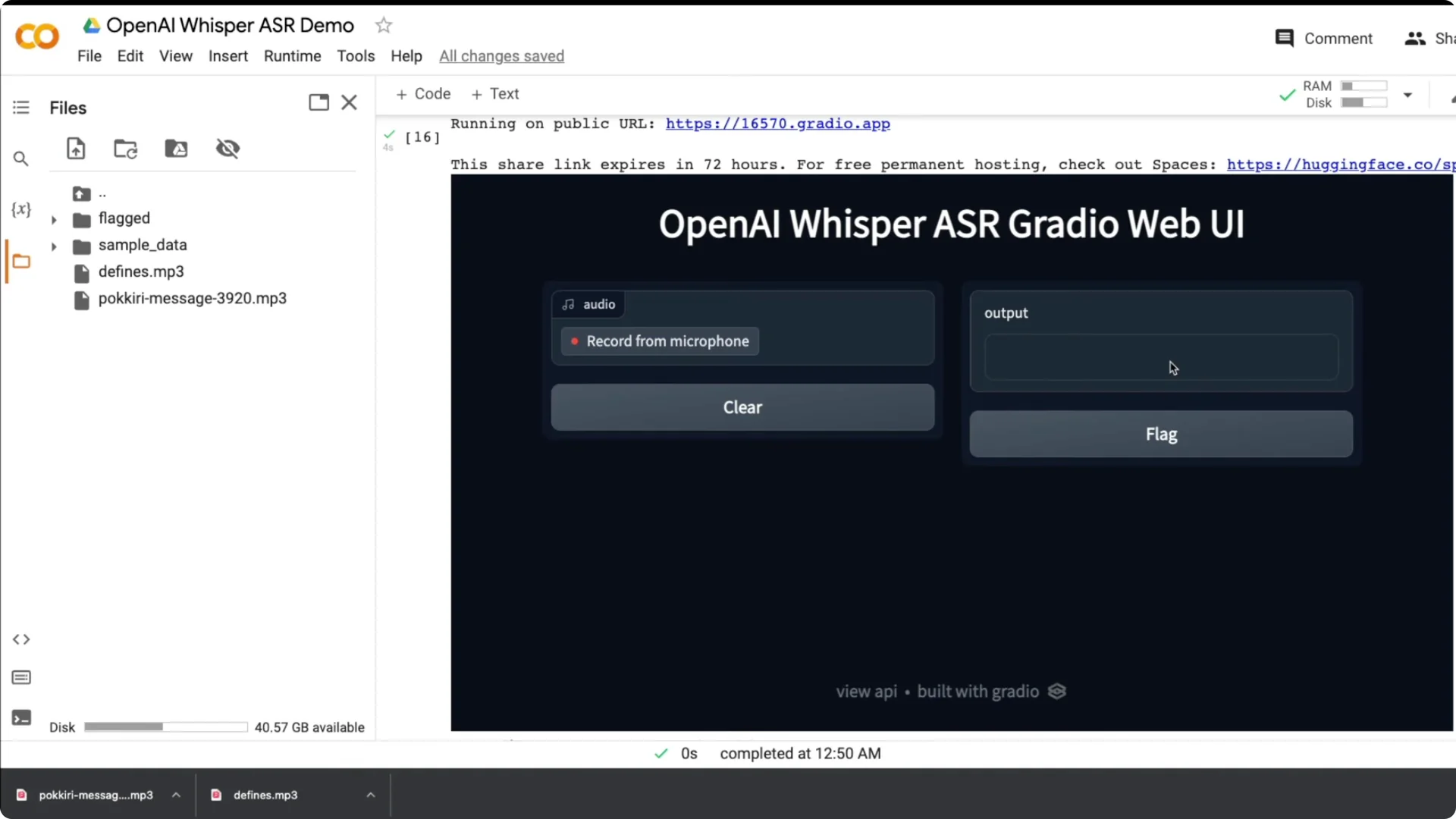
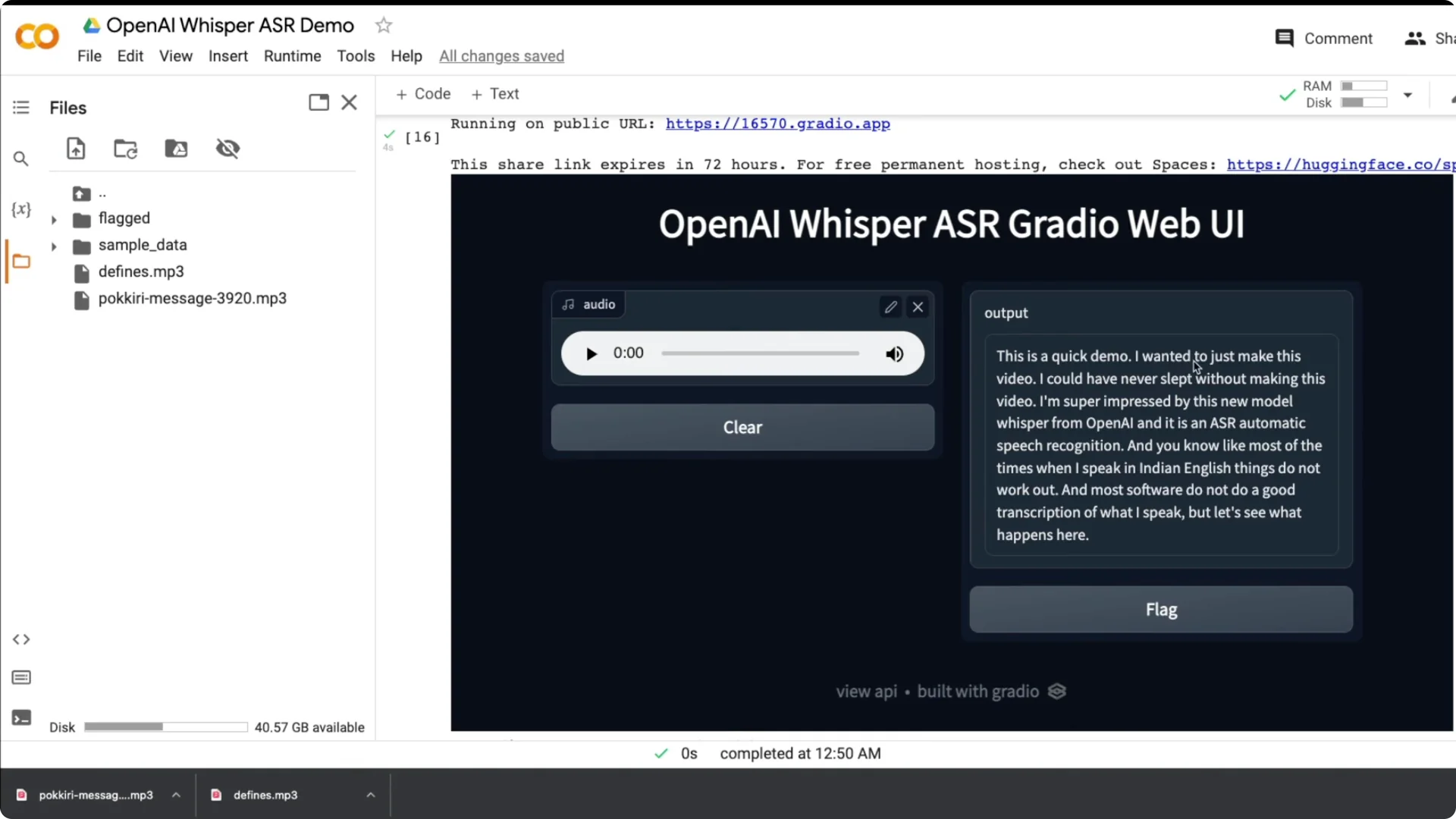
I built a simple Gradio app with a title, a Record from microphone button, and a text output. I recorded my voice and it transcribed quickly and accurately.
Most software does not do a good job with my accent, so this result was impressive.
What OpenAI released for Whisper ASR in Python
OpenAI introduced Whisper with a multilingual, multitask focus, and made the code and weights public.
You can find the blog, paper, model card, and a Colab notebook to try it instantly. The model can also detect the spoken language when not specified.
Run Whisper ASR in Python on Colab
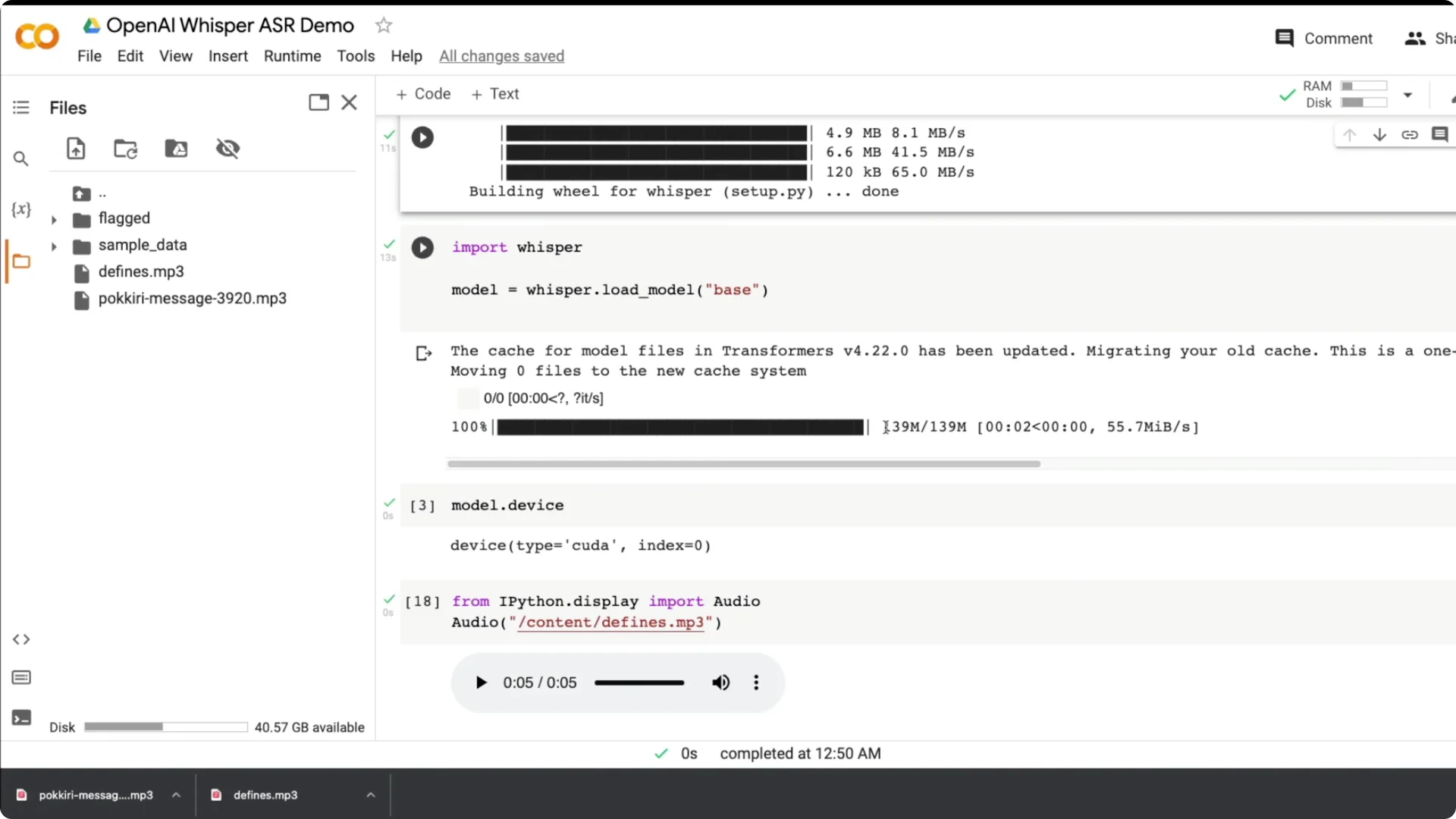
I ran Whisper on a GPU in Colab and it was fast. I used the base model, which is about 139 MB, and you can switch to tiny, small, medium, or large models based on your needs.
The base model already gave solid results for my tests.
Setup steps
Step 1: Install Whisper directly from GitHub. Use a fresh Colab runtime and install dependencies first.
Step 2: Import whisper and load the base model. The model downloads the first time and then loads as a model object.
Step 3: Validate the device. Whisper auto detects the environment, and I saw model.device show CUDA on GPU.
Audio handling in Whisper ASR in Python
Whisper works on up to 30 second clips. If your audio is longer, chunk it into 30 second segments using the helper class from the open source notebook, or keep recordings within 30 seconds.
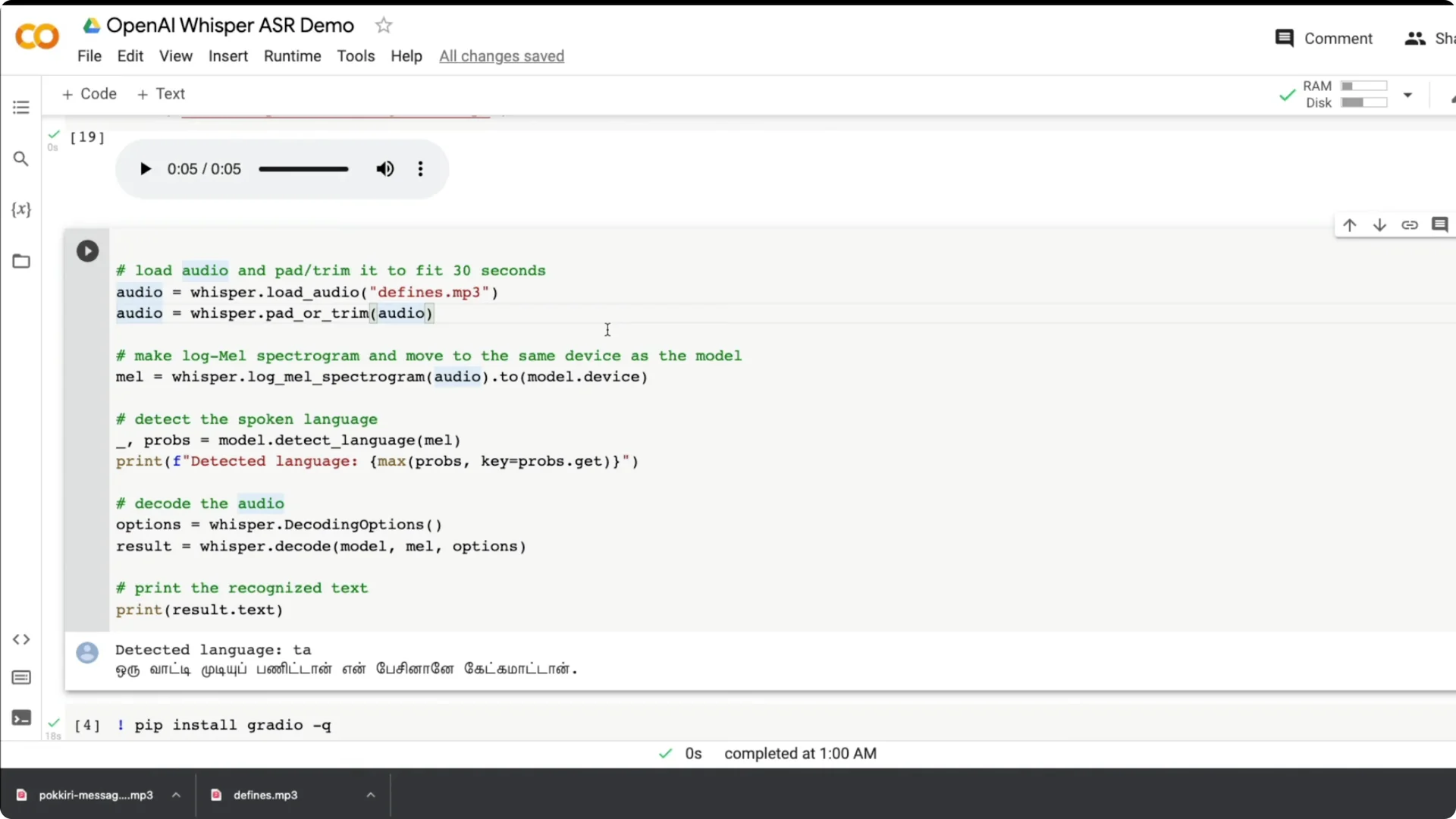
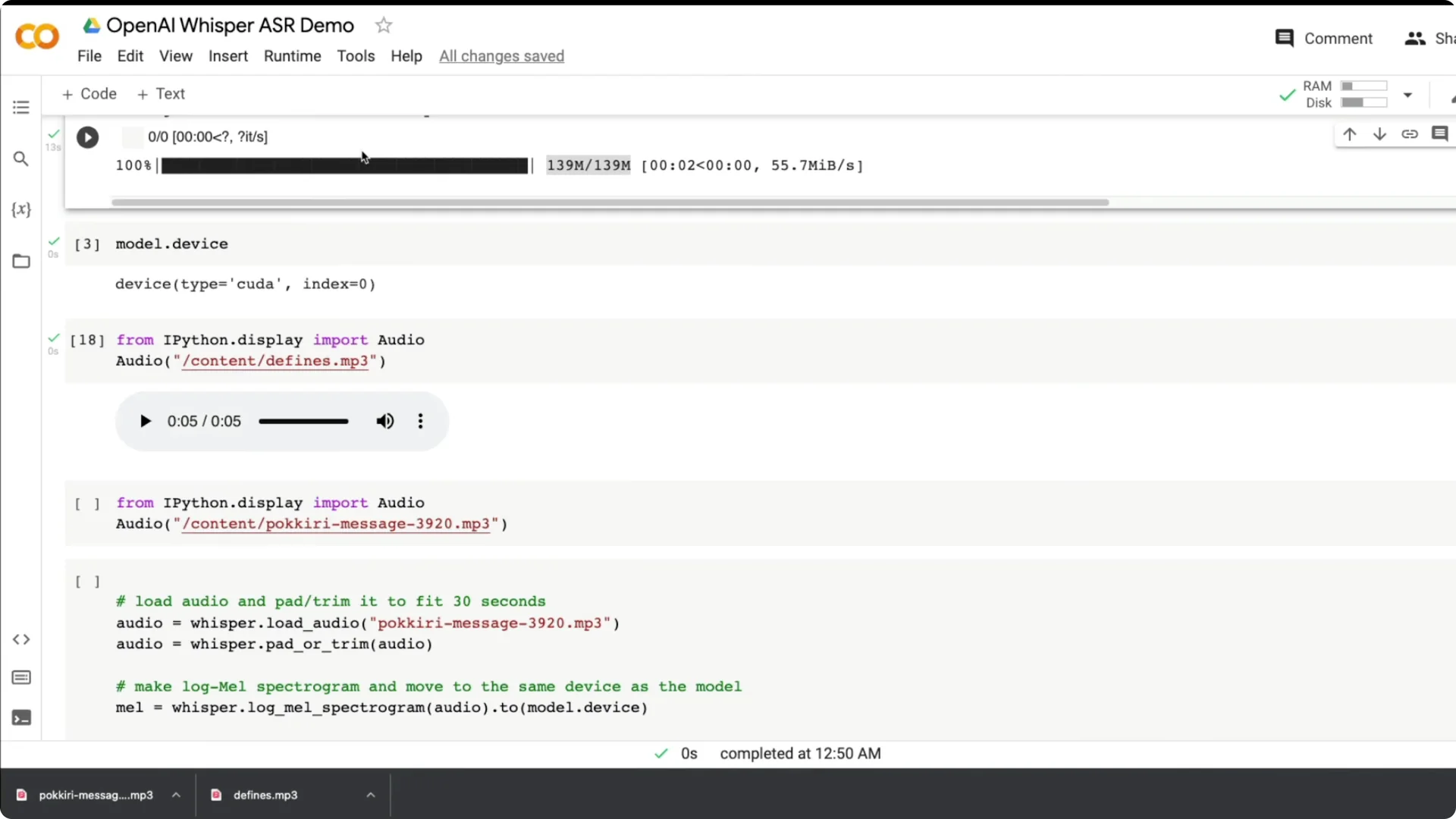
Use whisper.load_audio to load the file. Then use pad_or_trim to keep it within 30 seconds.
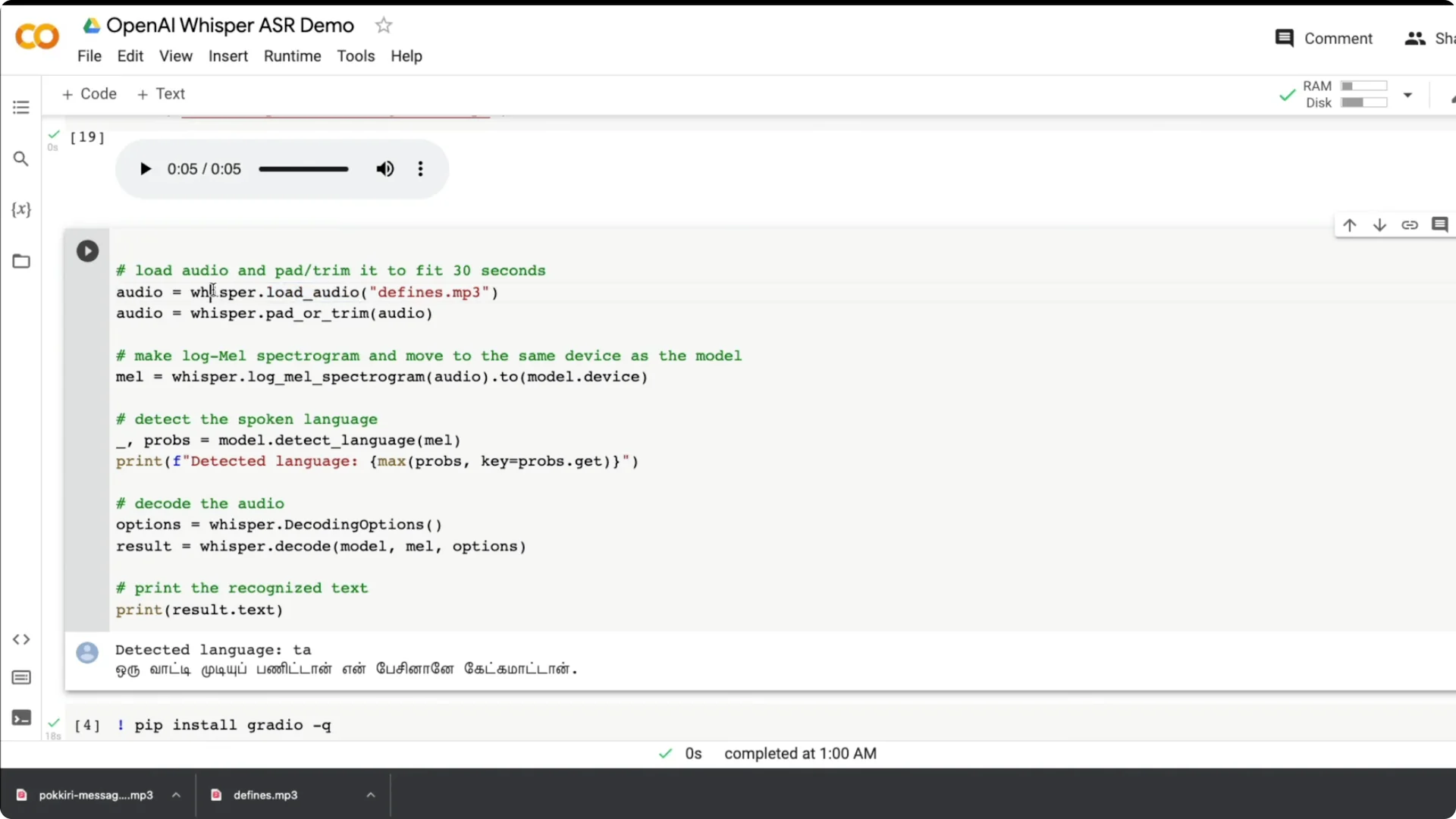
Create a log-mel spectrogram from the audio and move it to the same device as the model. This prepares the input for inference.
Language detection and decoding
You can detect the language from the spectrogram. The model returns probabilities and you can print the top language.
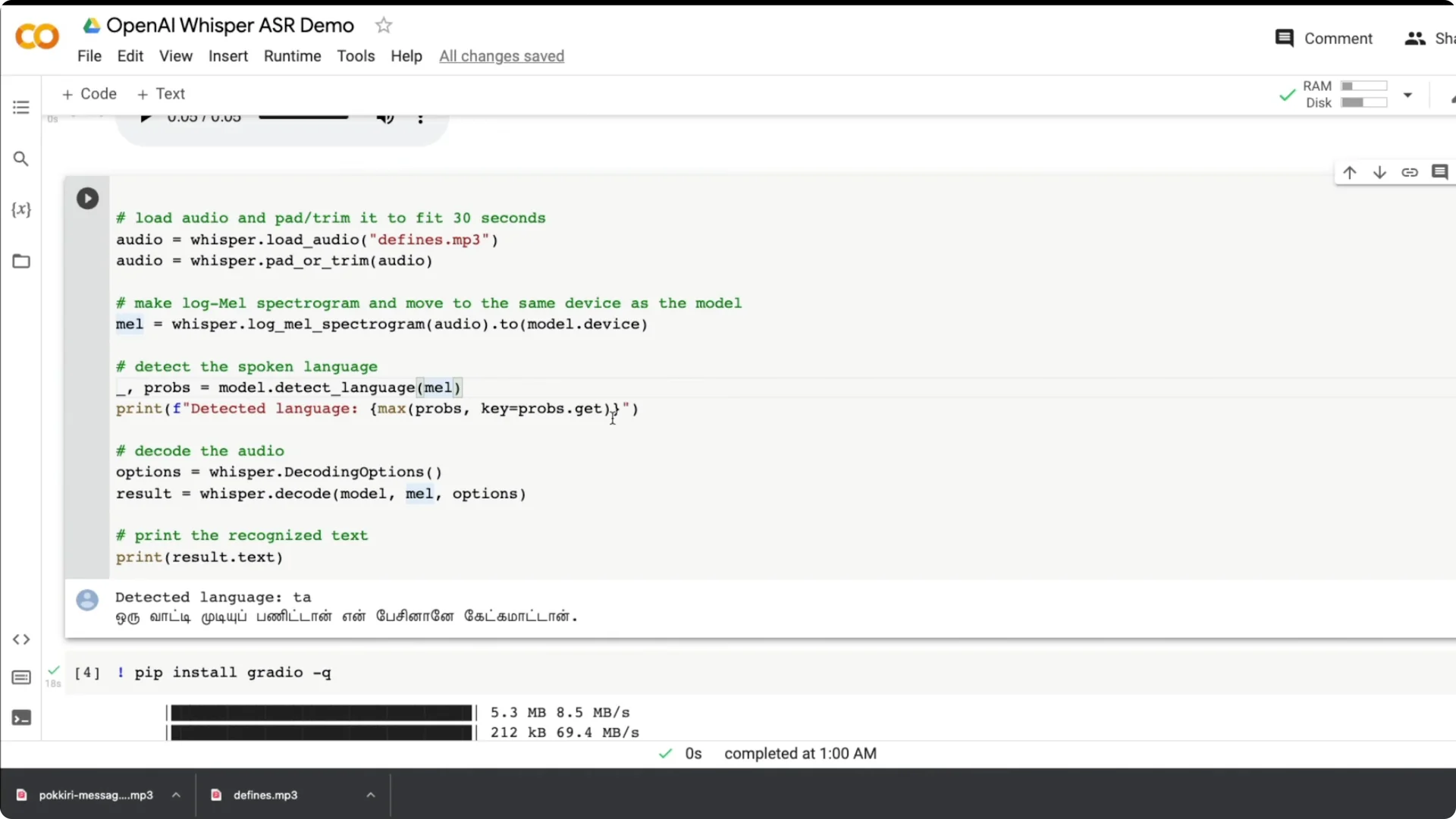
Decode with basic options to get a text result. Print result.text for the transcript and you are done.
If you want to turn transcripts back into speech, see ElevenLabs TTS.
Tests across languages with Whisper ASR in Python
I tested an English clip from Batman Begins: “It’s not who you are underneath. It’s what you do that defines you.” It got it right even with background noise and music, and it still made the transcription possible.
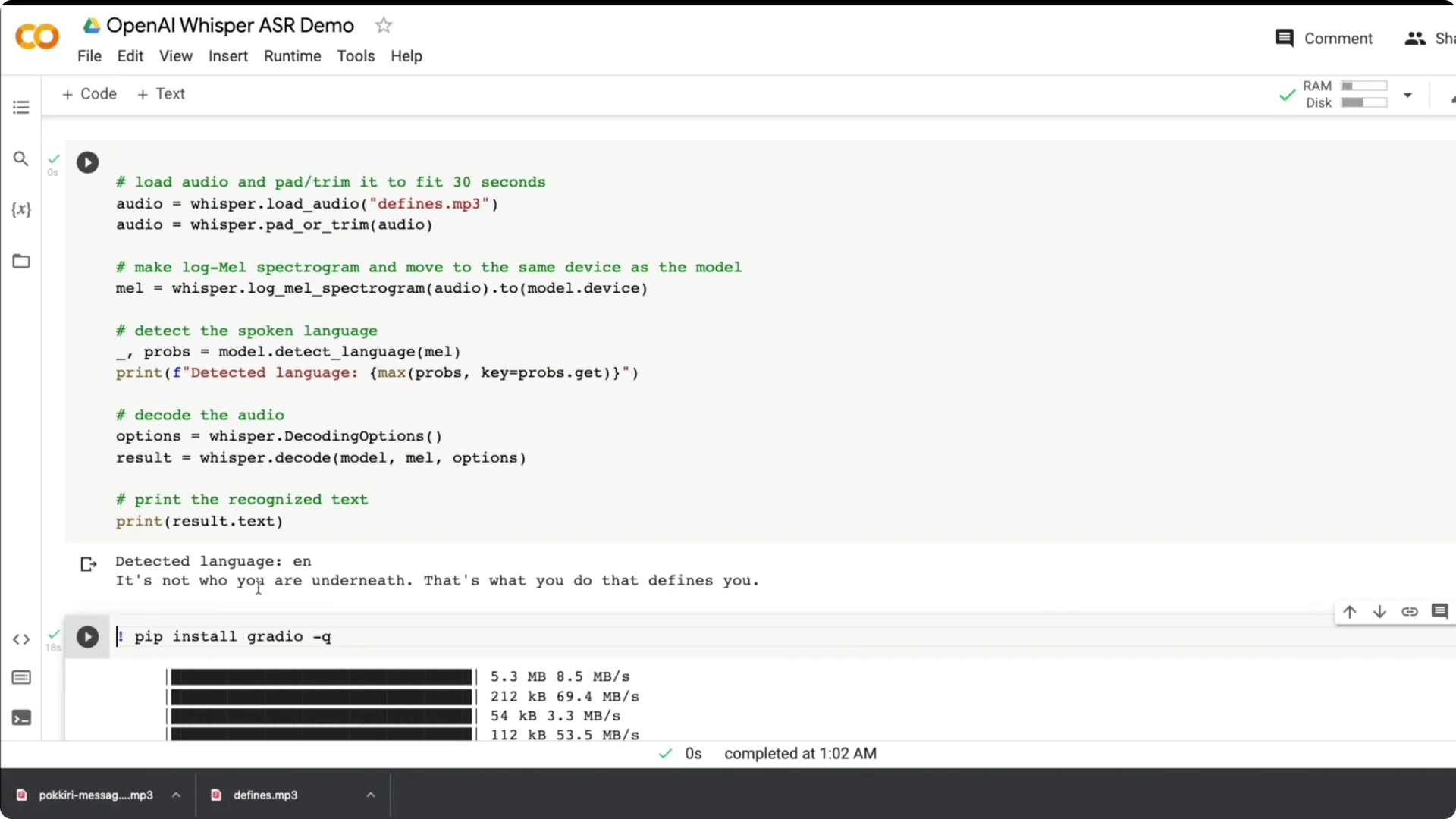
I also tried a Tamil dialogue from a popular movie. It detected Tamil quickly and produced a strong transcription. This is gold for subtitling, where accuracy and multilingual support matter.
I ran more live speech with Indian English and punctuation came out nicely. I noticed that mixing Tamil and English in one utterance confused the model more than pure Tamil. My Hindi is not good and those tests did not work well for me, but a native speaker may get better results.
Build a Whisper ASR in Python web app
I wanted a web app where a user can record live audio and see the transcript. I built it with Gradio using a few lines of Python and a small modification of the earlier code.
Step 1: Install Gradio. Import gradio as gr.
Step 2: Wrap the Whisper steps into a function called transcribe that takes an audio input and returns text. The function loads the audio, trims to 30 seconds, creates a spectrogram, detects language, decodes, and returns the text.
Step 3: Create a Gradio Interface using the transcribe function. Set the input to microphone with type filepath, set the output to textbox, enable live, and launch.
For text-to-speech options that pair well with a transcription app, see PlayHT TTS.
Translation options in Whisper ASR in Python
You can transcribe from one language to another. Any language to English is available as an option.
This opens up practical workflows where you capture speech in your native language and get English text. That can be useful for content creation and accessibility.
Final thoughts
Whisper impressed me with robust English transcription across accents and strong performance on Tamil. The setup is simple, the API is straightforward, and the model weights and Colab demo make it easy to try.
I plan to use it for subtitles and multilingual transcripts. The release quality, documentation, and examples made this one a pleasure to work with.