I am going to show you how to build a real-time speech recognition web application in Python. I use the Hugging Face Transformers pipeline with Wav2Vec2 for ASR, and Gradio to create a quick web UI.
I will also show you how to make it behave like a streaming app by keeping state across audio chunks.
Setup for Streaming ASR with Gradio
I run this in Google Colab with a GPU because GPU helps with faster inference. If you use a CPU environment, it may be slow for larger models.
When you deploy, put dependencies in your virtual environment or requirements.txt so you do not install them by hand.
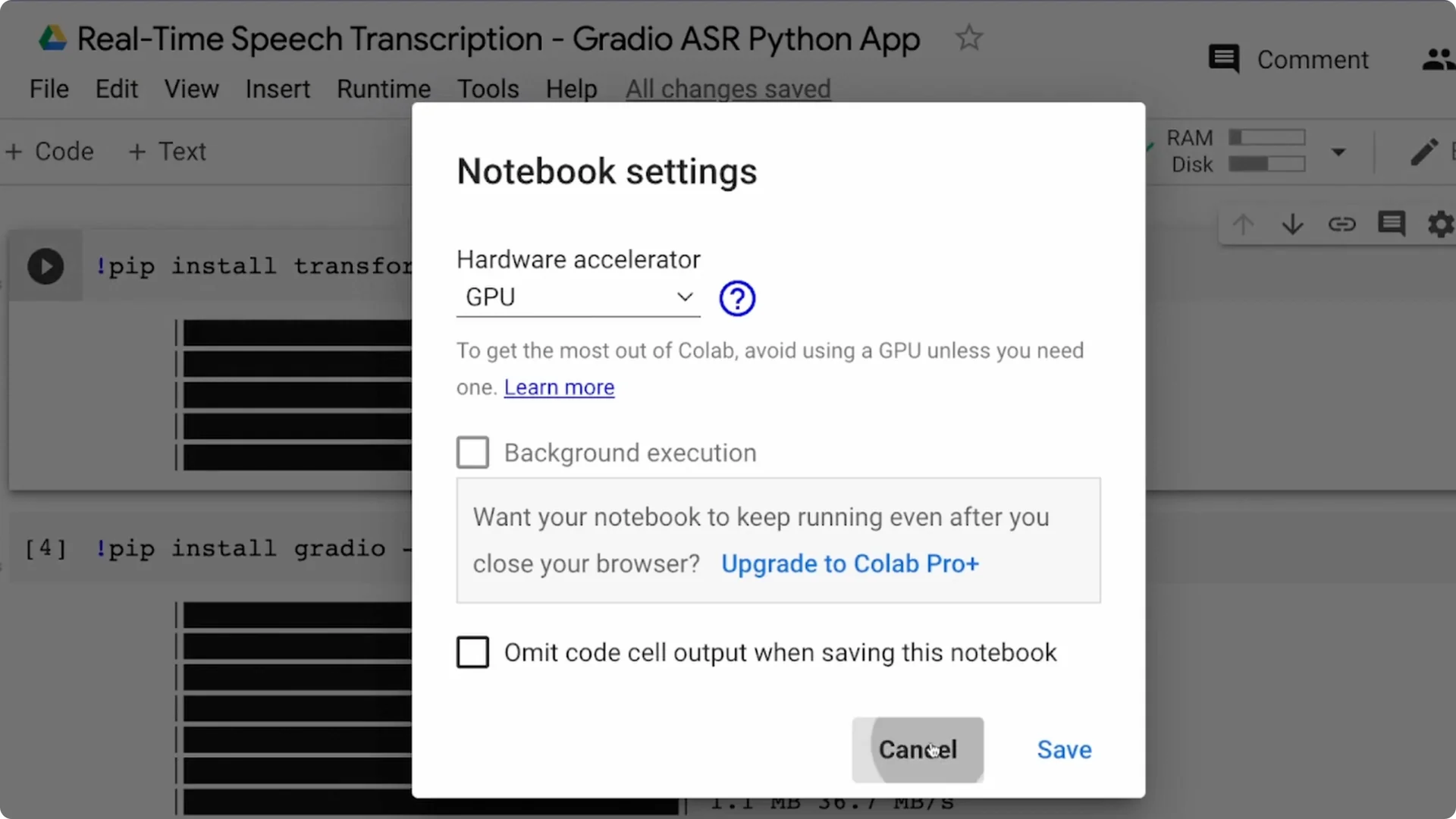
Step 1: create a new Colab notebook and select GPU as the runtime.
Step 2: install the Transformers library and the Gradio library.
Step 3: once installed, you are ready to write the actual script.
Build the ASR pipeline
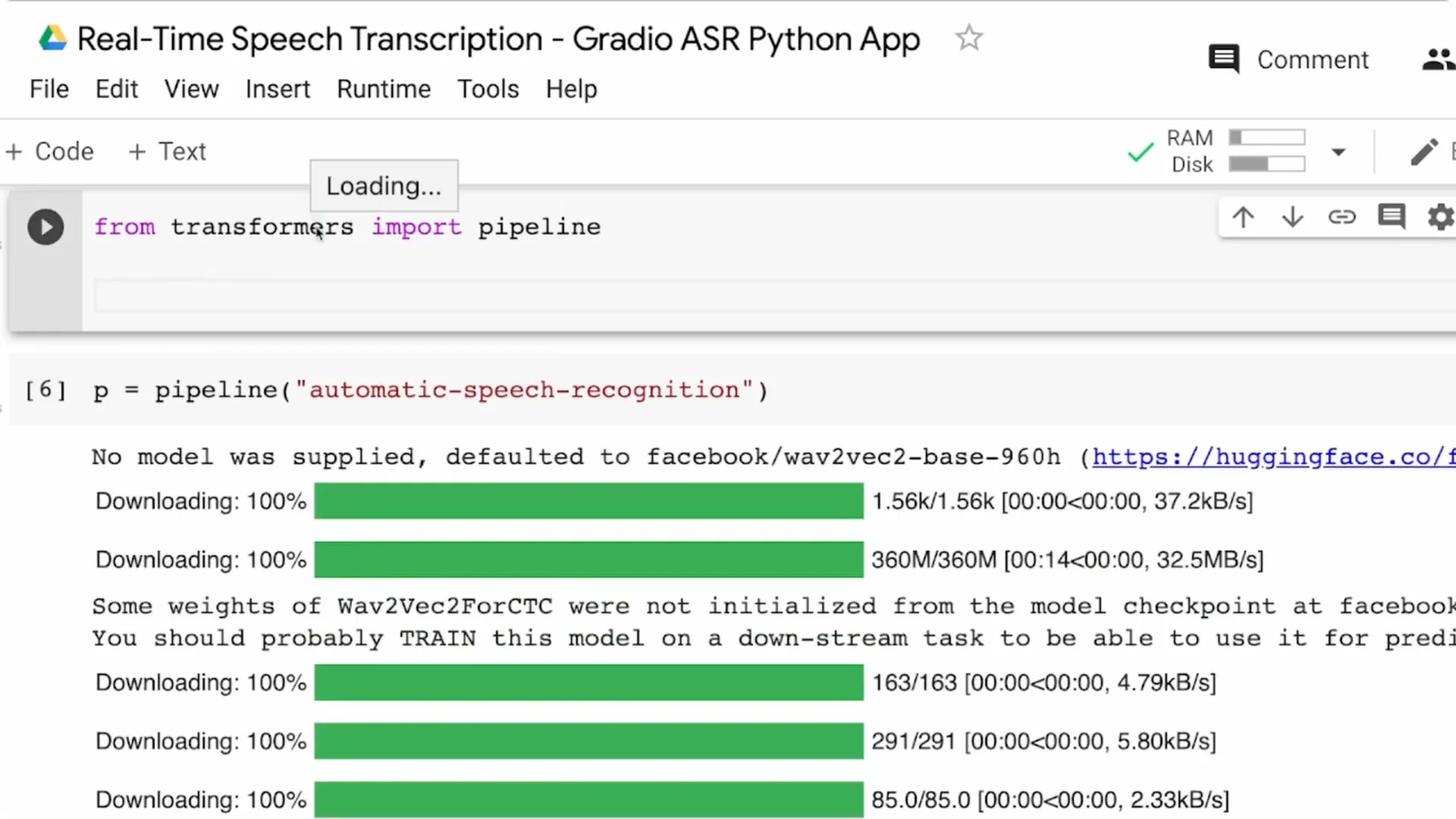
From Transformers, import the pipeline. The pipeline is the fastest way to perform an NLP task with Hugging Face, and there is a task for automatic speech recognition. I am going ahead with the default model for ASR, which is the Wav2Vec2 base 960h model from Facebook.
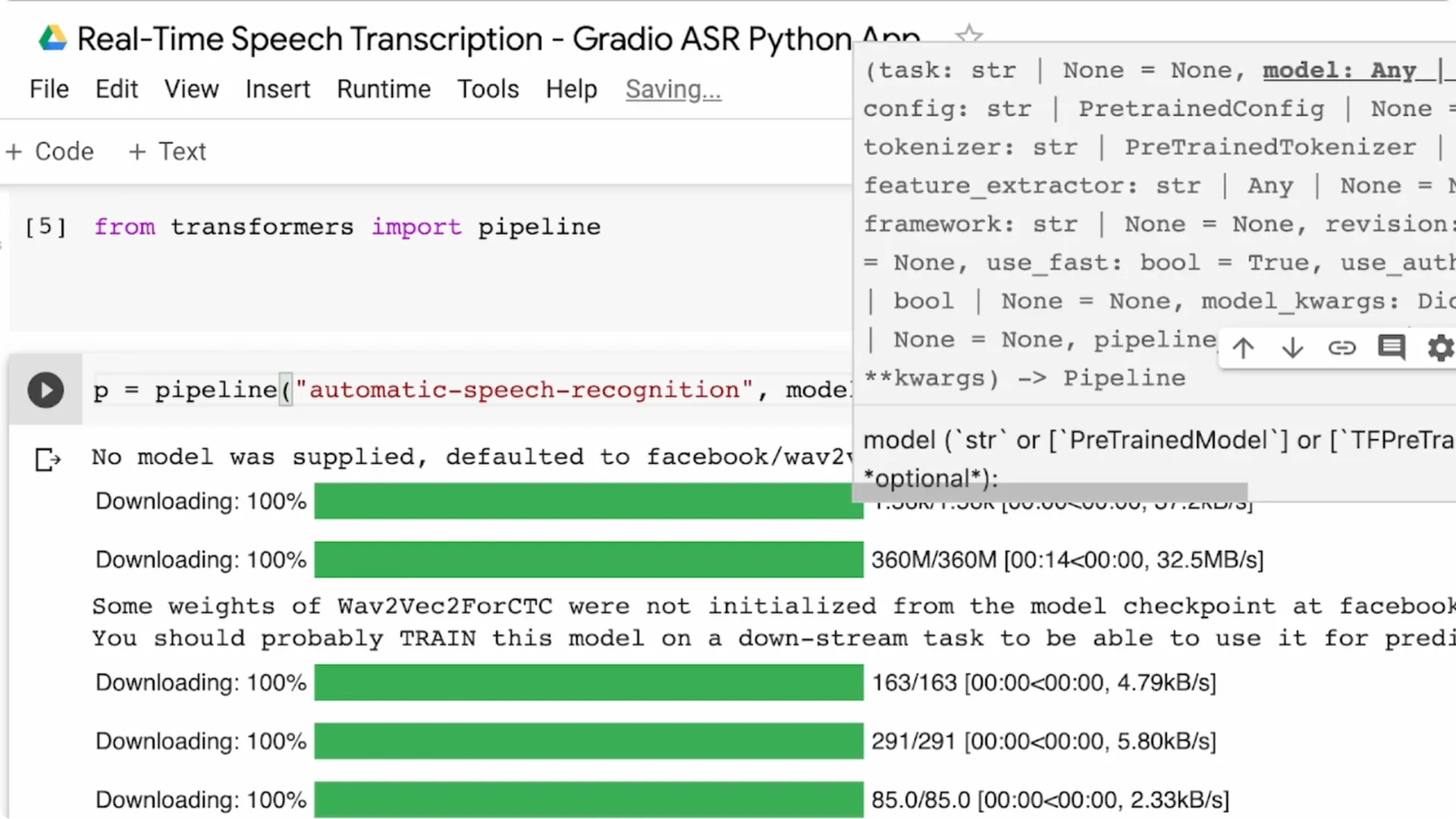
If you want a different language or a lighter model, pass model=… to the pipeline and pick a model from the Hugging Face model hub.
For example, pick Spanish, German, Tamil, or any fine-tuned checkpoint that suits your use case. You can always replace the default later without changing your UI code.
UI with Gradio
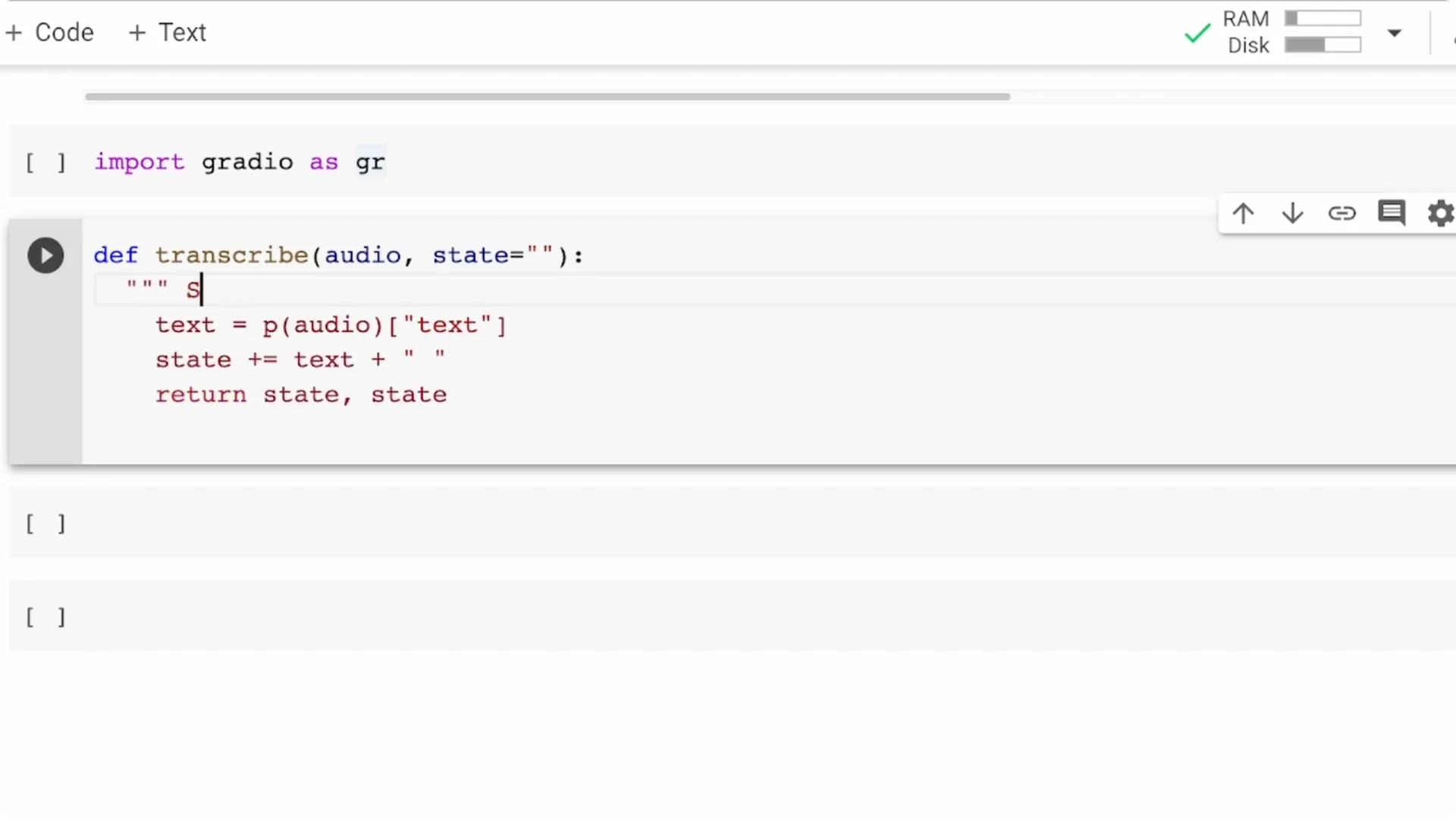
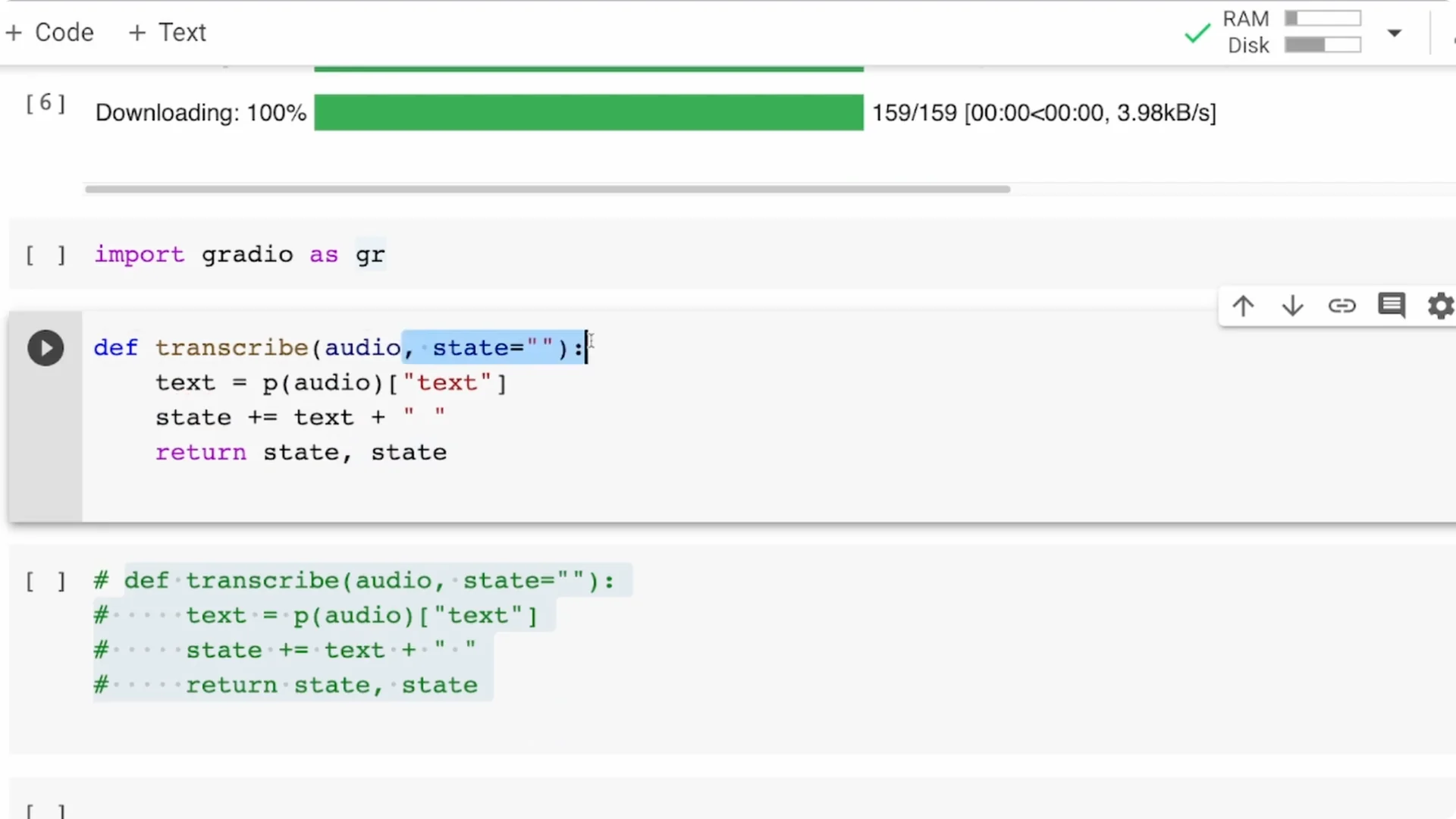
Import Gradio as gr. Define a function that takes speech audio, passes it to the pipeline object p, extracts the text, and returns only the text.
This is the simplest end-to-end transcription function.
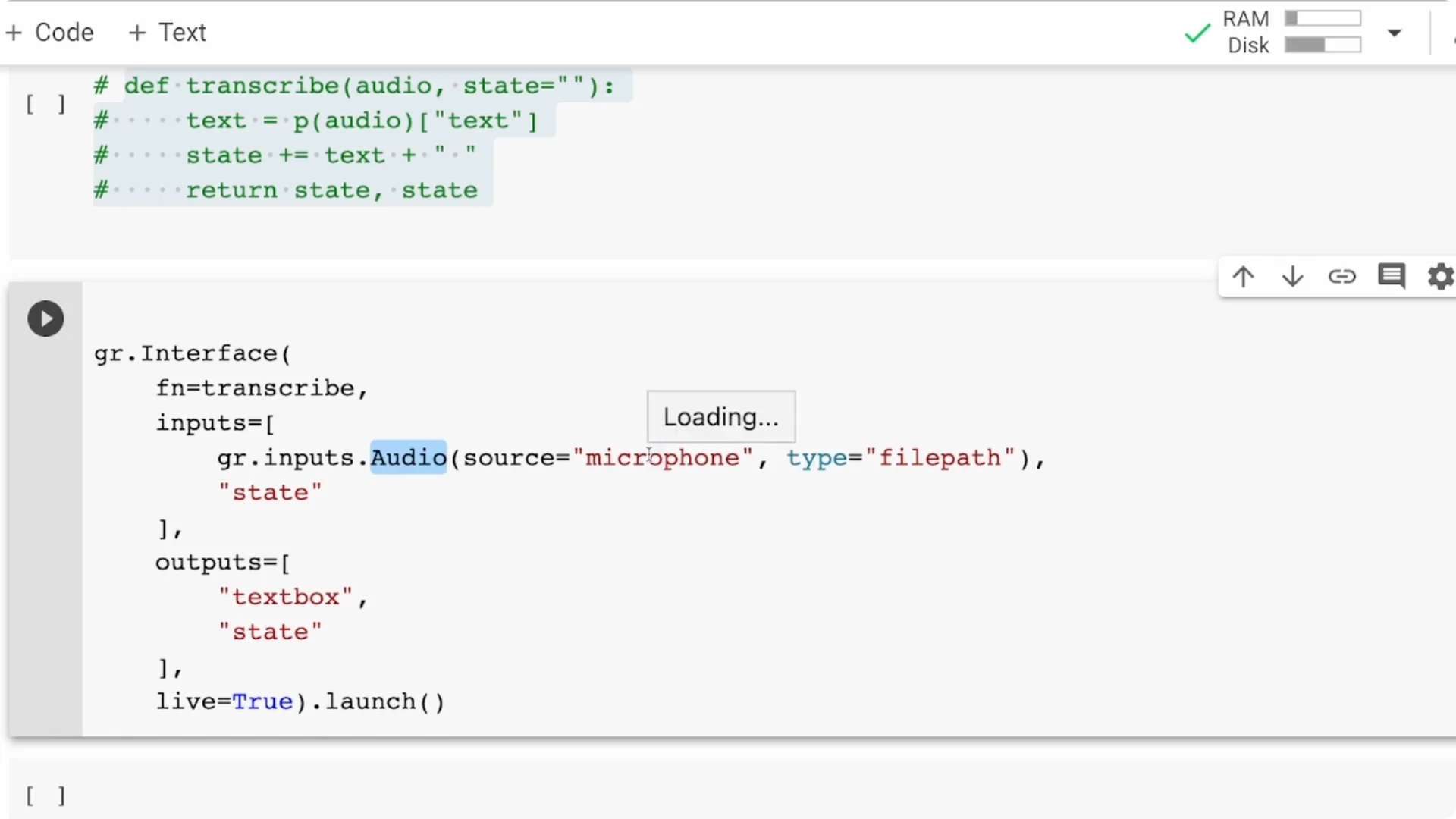
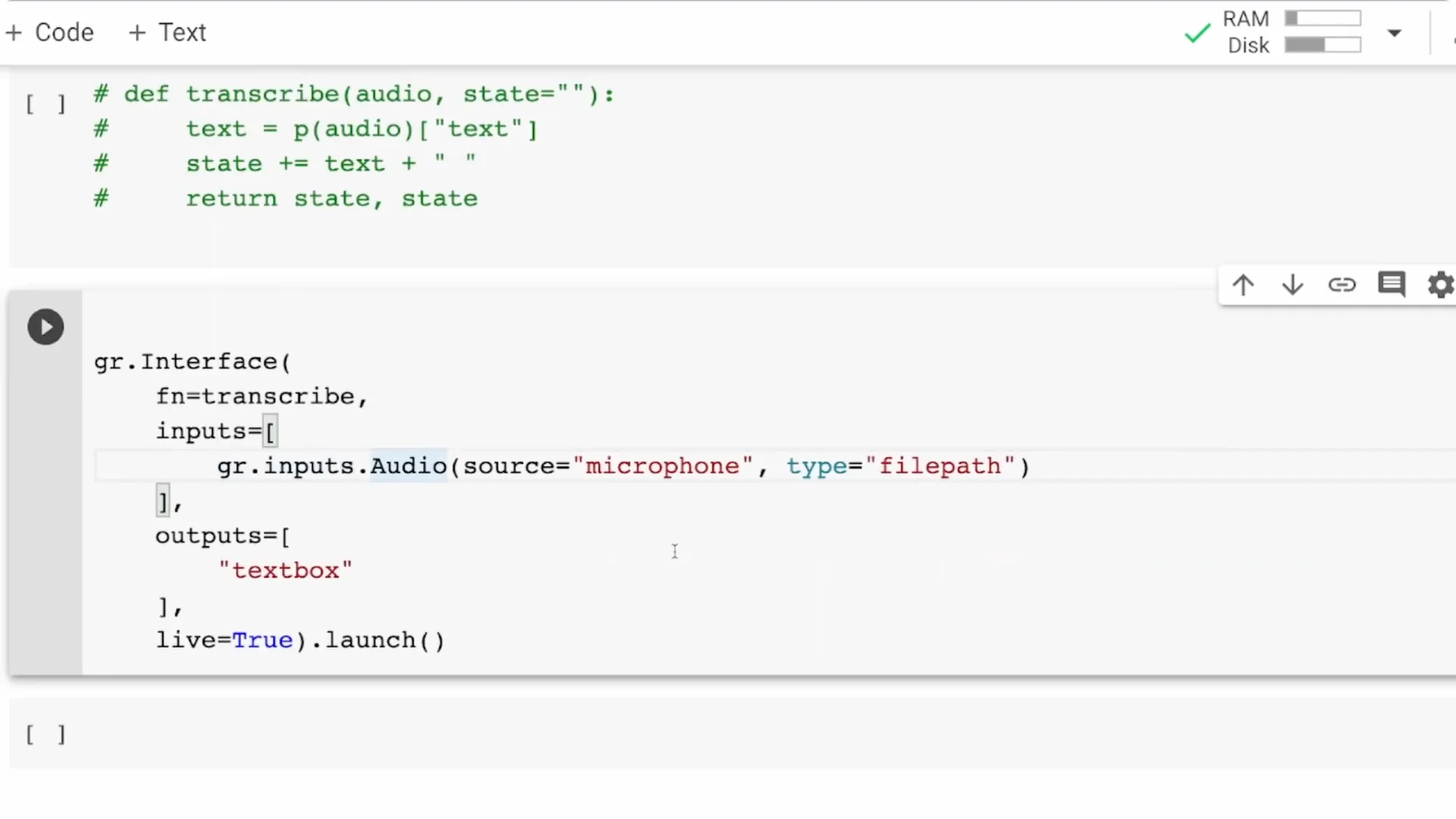
Create the interface with a microphone input and a text output.
The input is an audio component with source set to microphone, so your browser will ask for permission.
The output is a textbox that displays the transcribed text returned by your function.
Streaming ASR with Gradio
If you try the basic version, you will notice it shows only what you are currently saying. It will not preserve what you said before. That is why you need state.
Add state
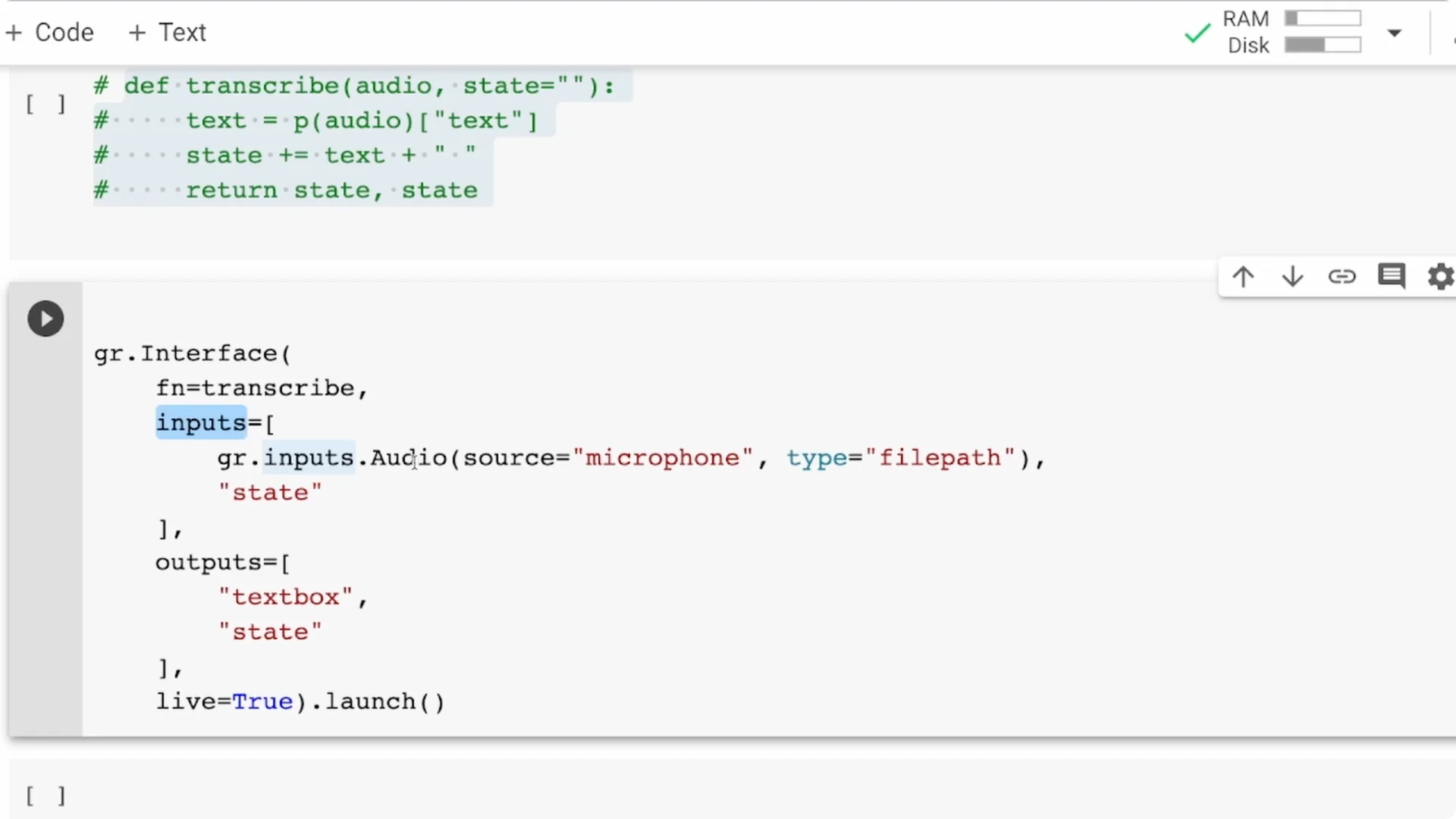
Change your transcribe function to accept two arguments: audio and state.
The text produced for each chunk is appended to the state string, and you return both the text and the updated state.
This approach is not pure streaming, because the model is large.
What you are doing is chunking the audio into smaller pieces and processing them one by one, which still feels like streaming for most use cases.
Improve chunk quality
Sometimes it helps to give the model a small amount of time for each chunk. You can import time and add time.sleep(2) or time.sleep(3) inside your function.
This can improve quality, but it increases latency, so you should choose a trade-off that fits your needs.
Wire state into the interface
In the Gradio interface, add a state component as both an input and an output. The previous transcription is preserved and flows back into the next call.
With this, you will see the entire running transcript instead of only the last chunk.
For pairing ASR with speech synthesis, you can try high-quality TTS. See ElevenLabs TTS for a solid option that complements a transcription workflow.
Testing and permissions
When you launch the app, your browser will ask for microphone permission. Approve it, start speaking, and you should see the transcript update continuously.
If you are using Colab, open the external URL if the inline preview does not capture the mic properly.
If you prefer another TTS option, explore PlayHT TTS. It is a practical way to turn ASR output back into voice for voicebots or demos.
Improvements
Models
The Wav2Vec2 base 960h model is not designed purely for streaming. If your main goal is streaming, try DeepSpeech as an alternative.
You can also pick lighter or language-specific Wav2Vec2 checkpoints via the model parameter and see what works best.
Train your own
This does not work only for English. If your language is supported in Mozilla Common Voice, you can fine-tune your own Wav2Vec2 model and publish it to the Hugging Face hub.
Then point the pipeline to your custom model.
Beyond pipeline
You might not want to use pipeline for all cases. You can download the model and tokenizer separately and handle inputs and decoding yourself. There is enough documentation to help you switch once you outgrow the pipeline abstraction.
For multimodal demos that stitch ASR text into media, check tools like text to video. It is useful when you want to turn transcripts into quick video snippets.
Deploy
You can deploy the Gradio app to Hugging Face Spaces. That gives you free hosting and a stable URL for your ASR web application.
Once deployed, anyone with a browser can test your real-time transcription.
Resources
Open the Colab notebook here: Colab Notebook. It contains the full setup with the pipeline, Gradio interface, and state-based streaming.
Final Thoughts
With a few lines of Python, you can build a real-time ASR app that runs in the browser. Transformers gives you accurate transcription, and Gradio gives you a fast way to ship a usable UI. Add state for streaming behavior, tune chunk timing, pick the right model, and you are ready to deploy.